

BladePipe
BladePipe is a real-time data integration and CDC platform. It helps you build data pipelines in a no-code way between different databases, data warehouses and data lakes, including Apache Cloudberry.
BladePipe supports data movement from PostgreSQL/Greenplum to Apache Cloudberry, including:
- Schema migration.
- Full data migration.
- Incremental data synchronization.
- Data verification and correction.
- DDL synchronization for common schema changes.
This document will show how to synchronize data from PostgreSQL to Apache Cloudberry.
Prerequisites
- Make sure the PostgreSQL account has the required permissions.
- Apache Cloudberry is deployed and running.
- BladePipe (v1.6.0 or higher) is installed and accessible.
Steps
Step 1: Add DataSources
-
Log in to BladePipe. Go to DataSource > Add DataSource.
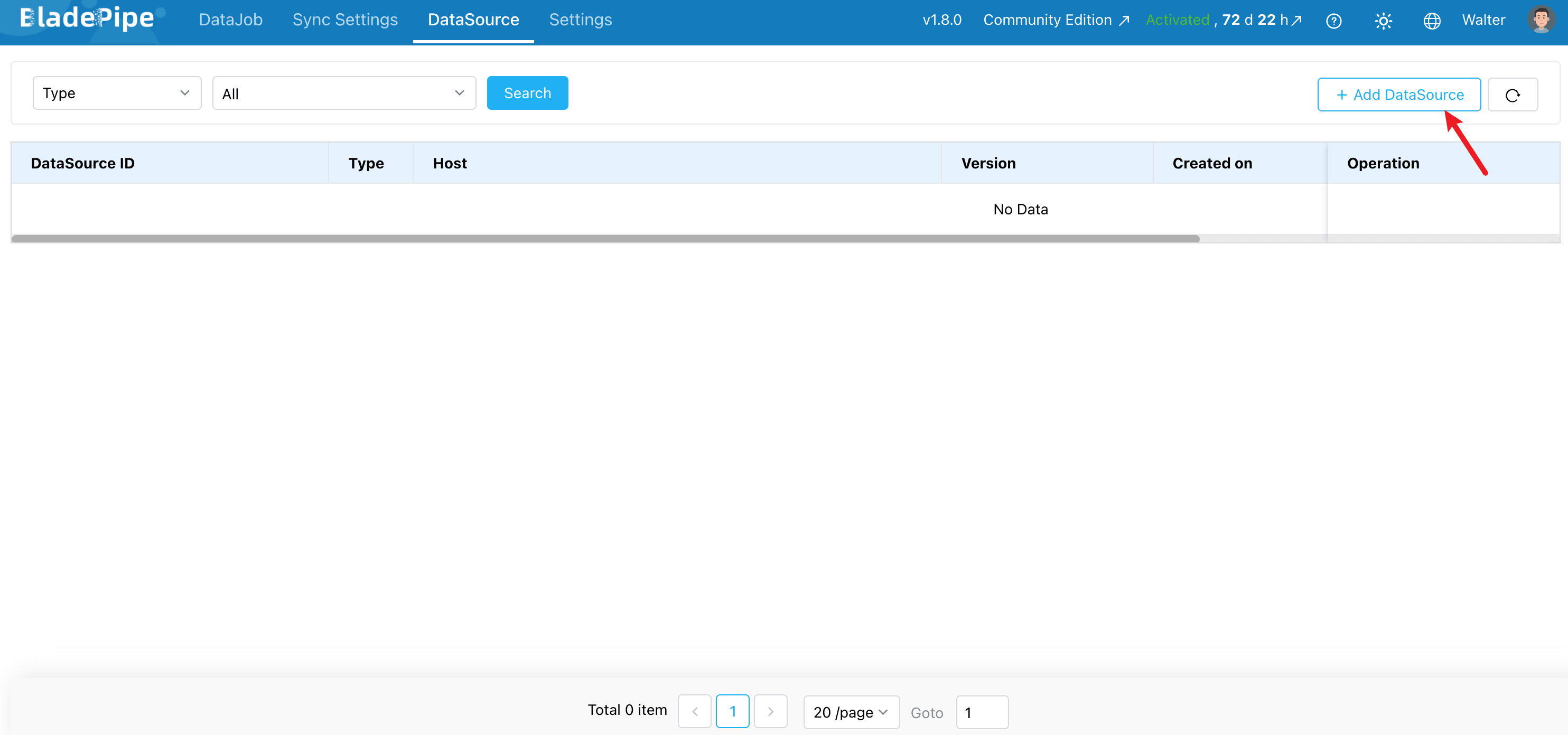
-
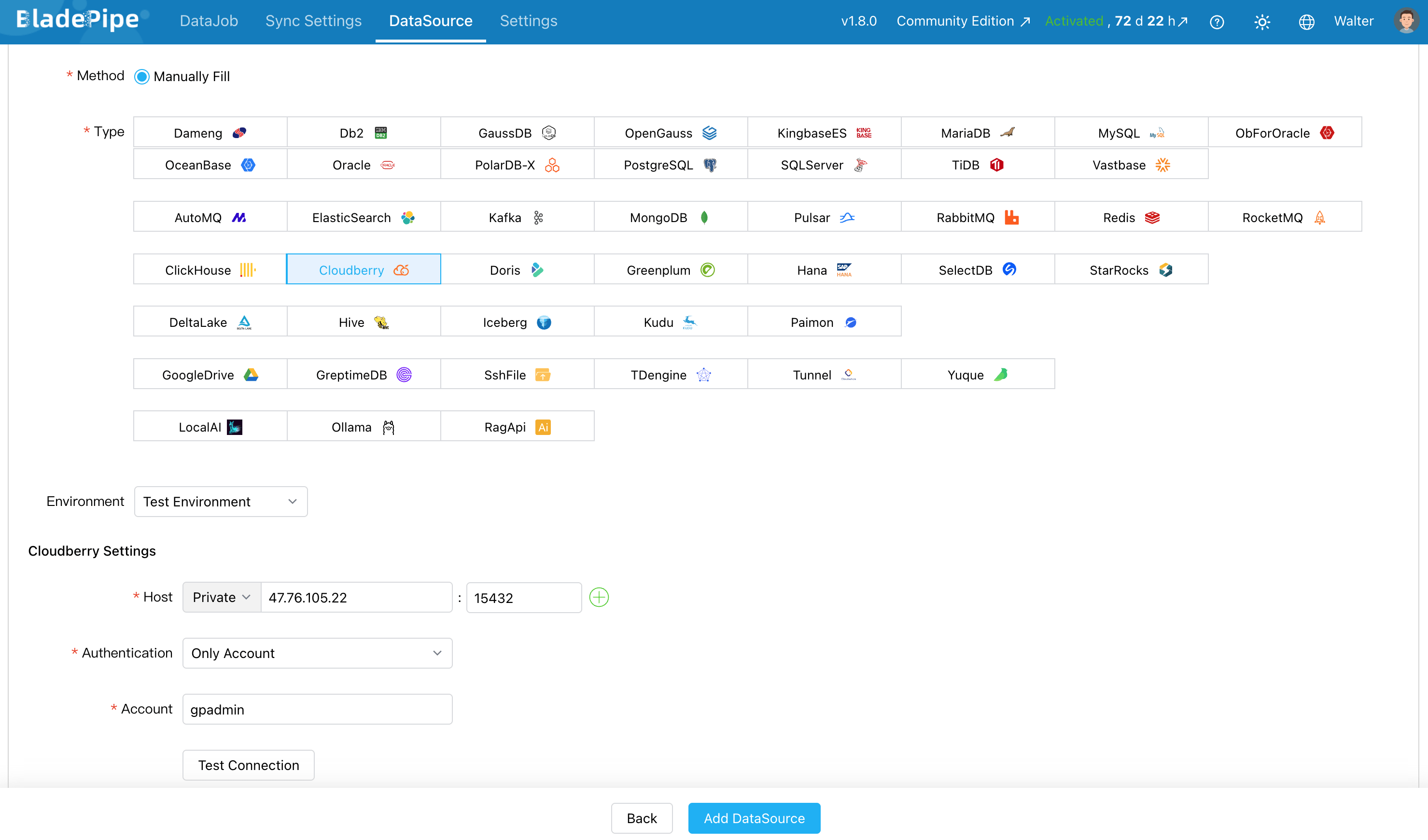
Add Apache Cloudberry and PostgreSQL separately as a DataSource:
- Deployment: Select Self-managed.
- Type: Select Cloudberry / PostgreSQL.
- Host: Enter the database host and port.
- Account & Password: Enter the username and password of Cloudberry / PostgreSQL.
-
Click Test Connection. Then click Add DataSource.
Step 2: Create a DataJob
-
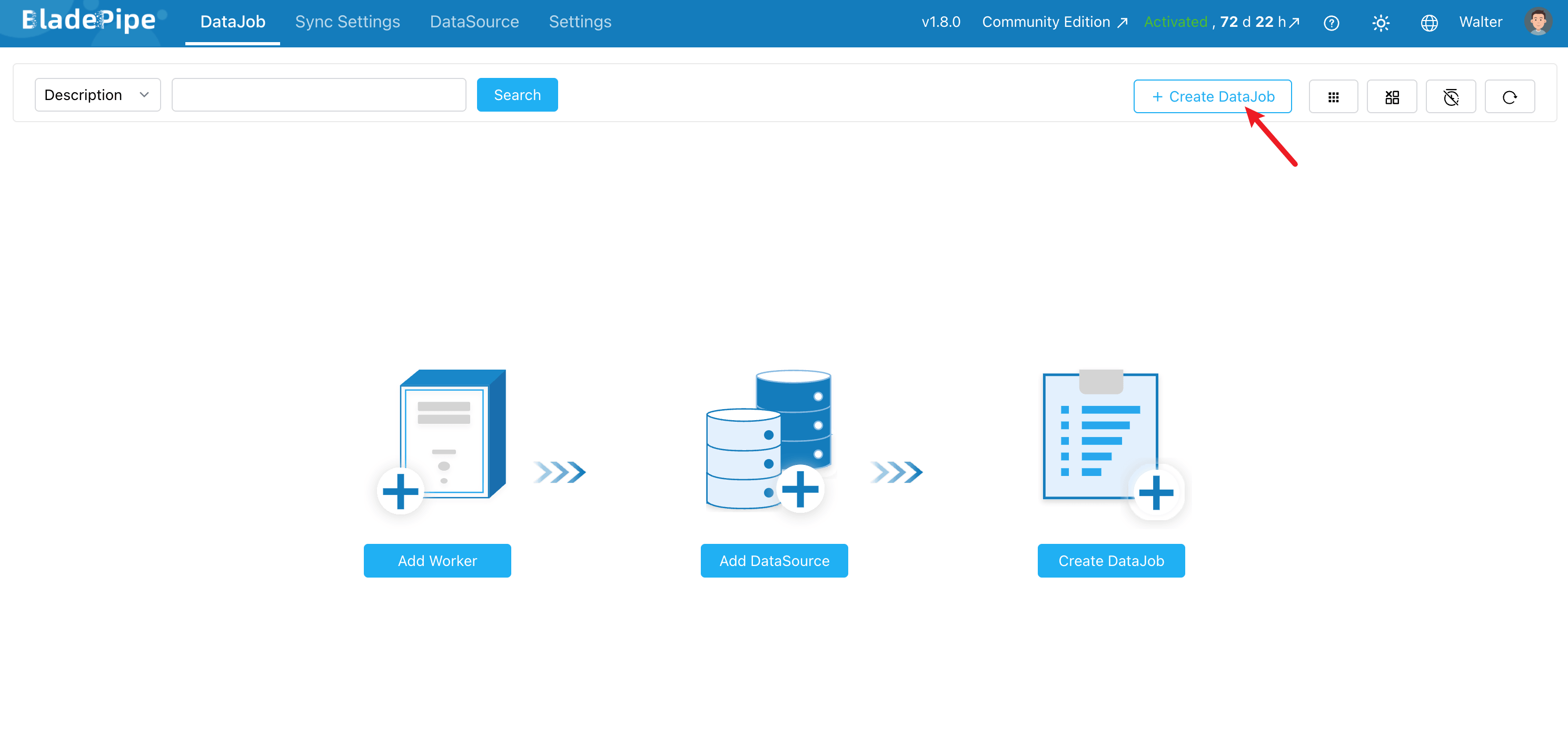
Go to DataJob > Create DataJob.
-
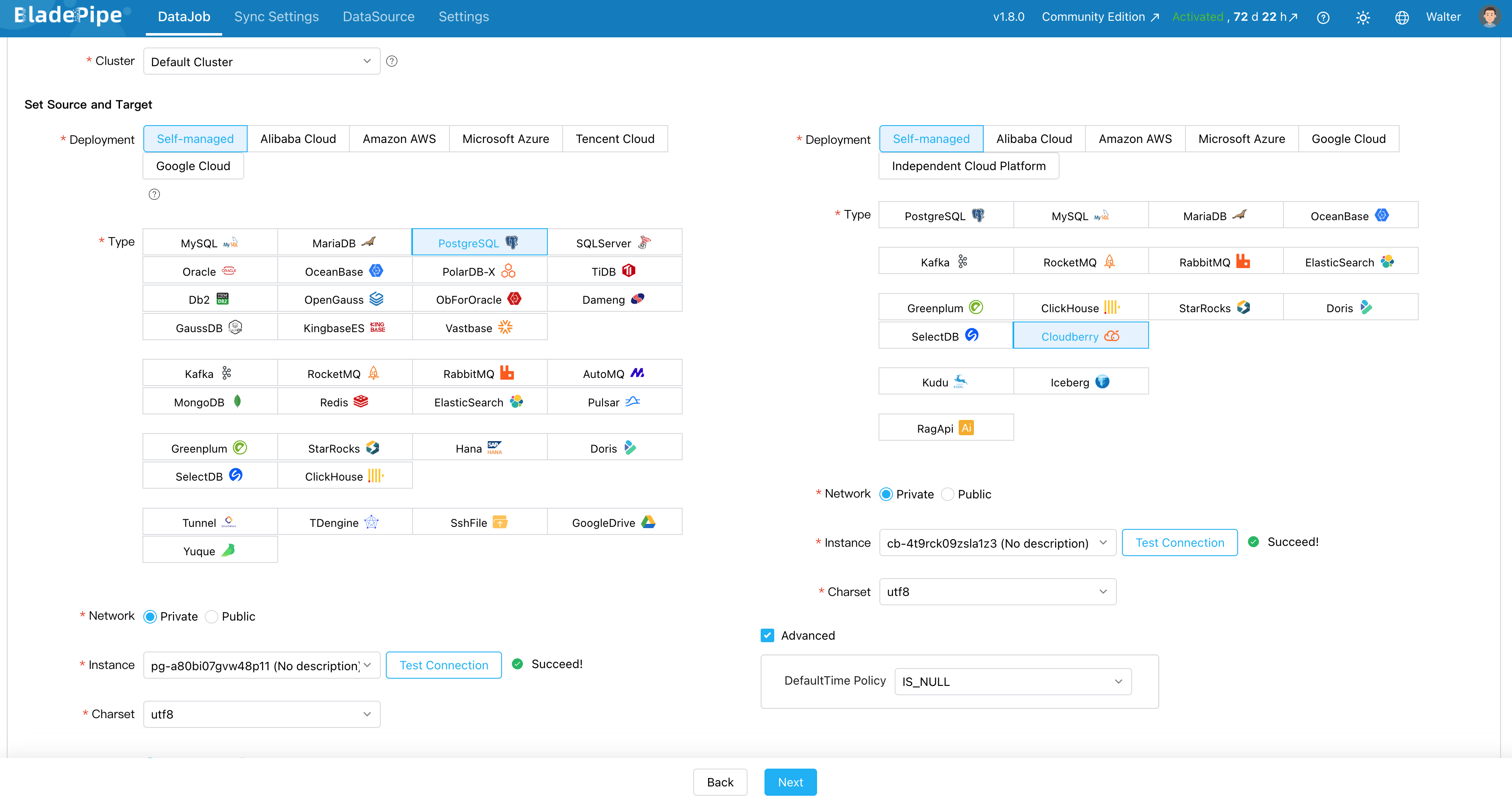
Select PostgreSQL as the source DataSource and Cloudberry as the target DataSource.
-
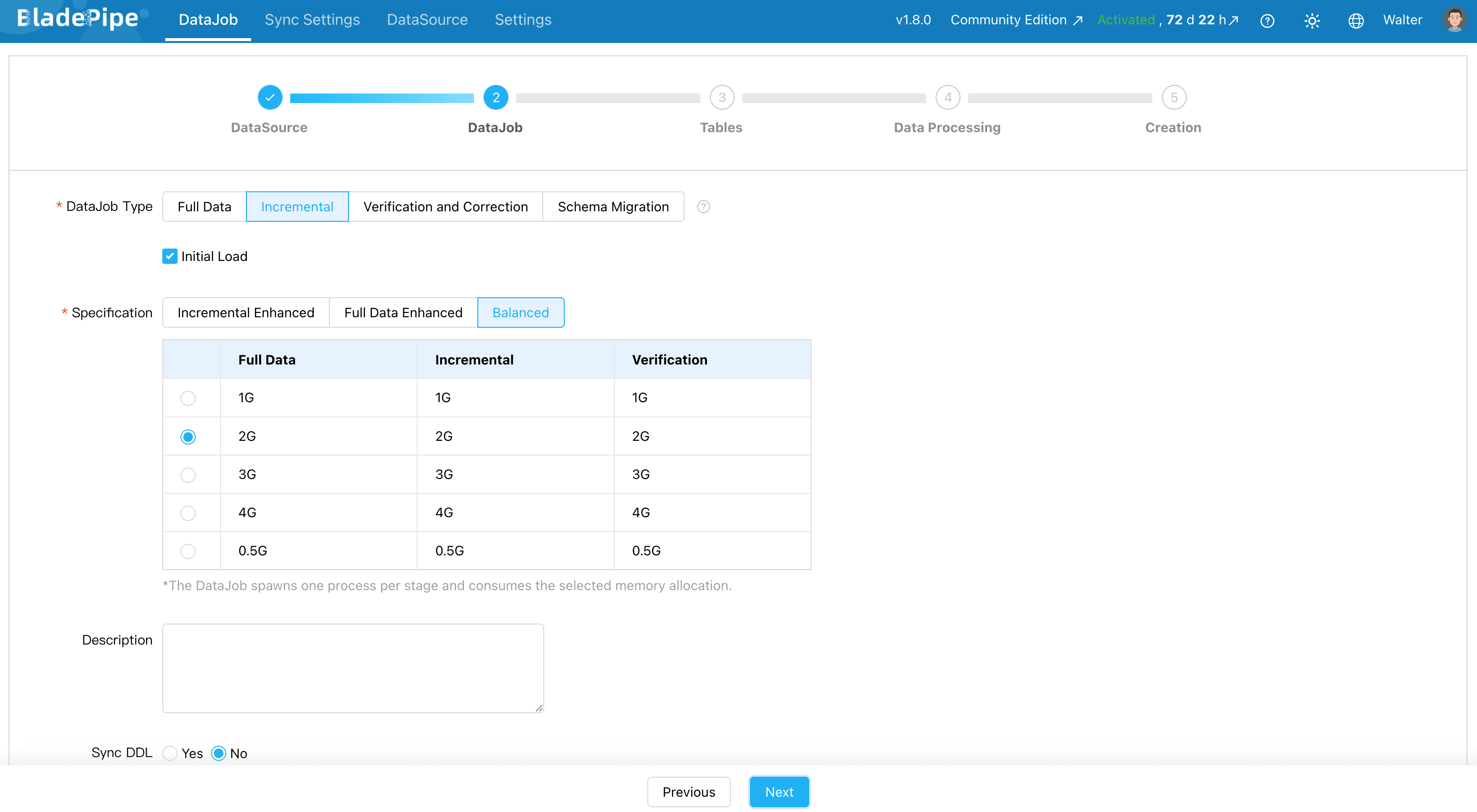
Choose the DataJob type. For synchronization tasks, select Incremental with Initial Load. The initial load migrates existing data. Incremental sync keeps Cloudberry updated after the initial load finishes.
-
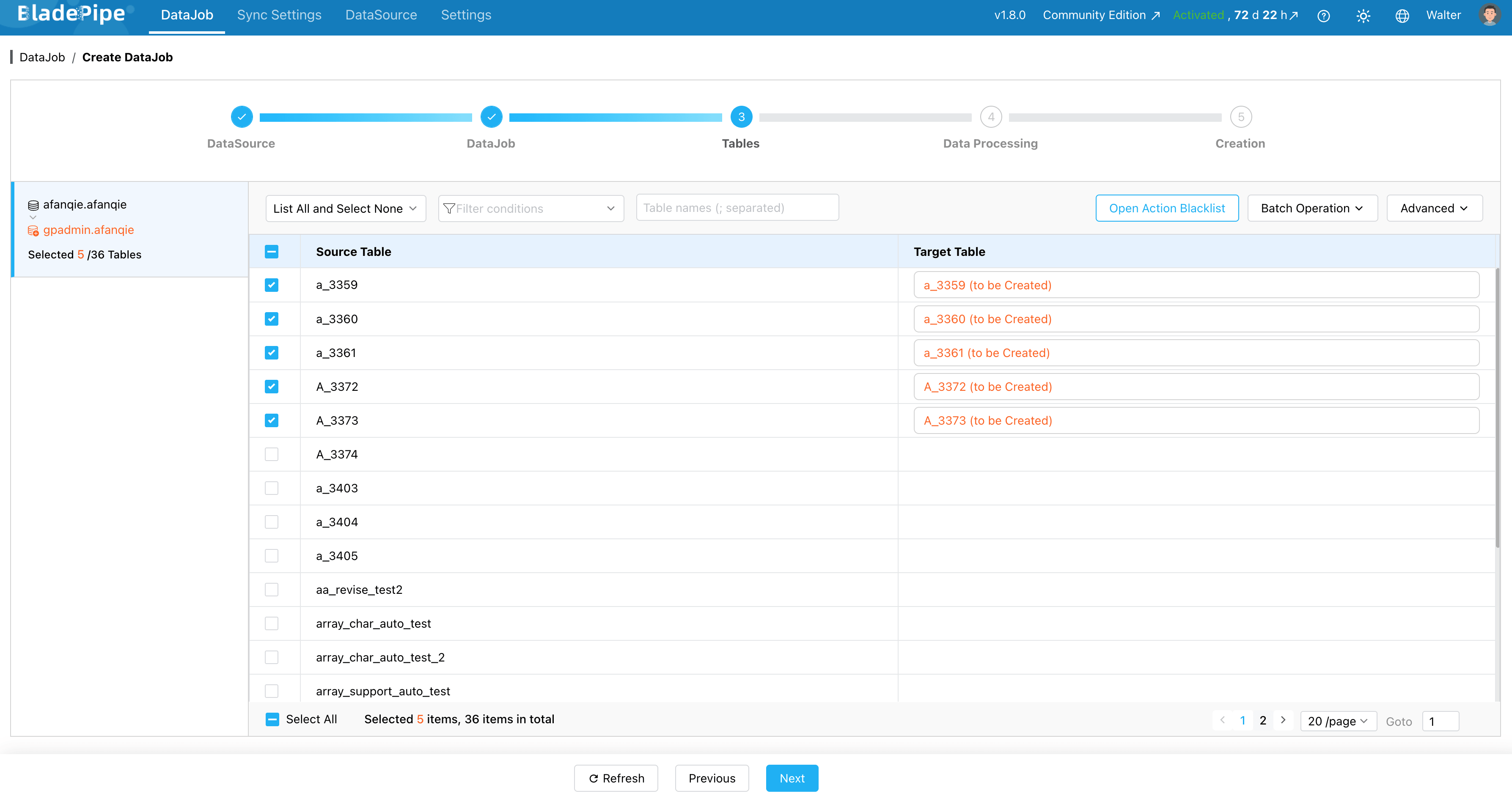
Select which tables to sync. You can include everything or pick specific ones.
-
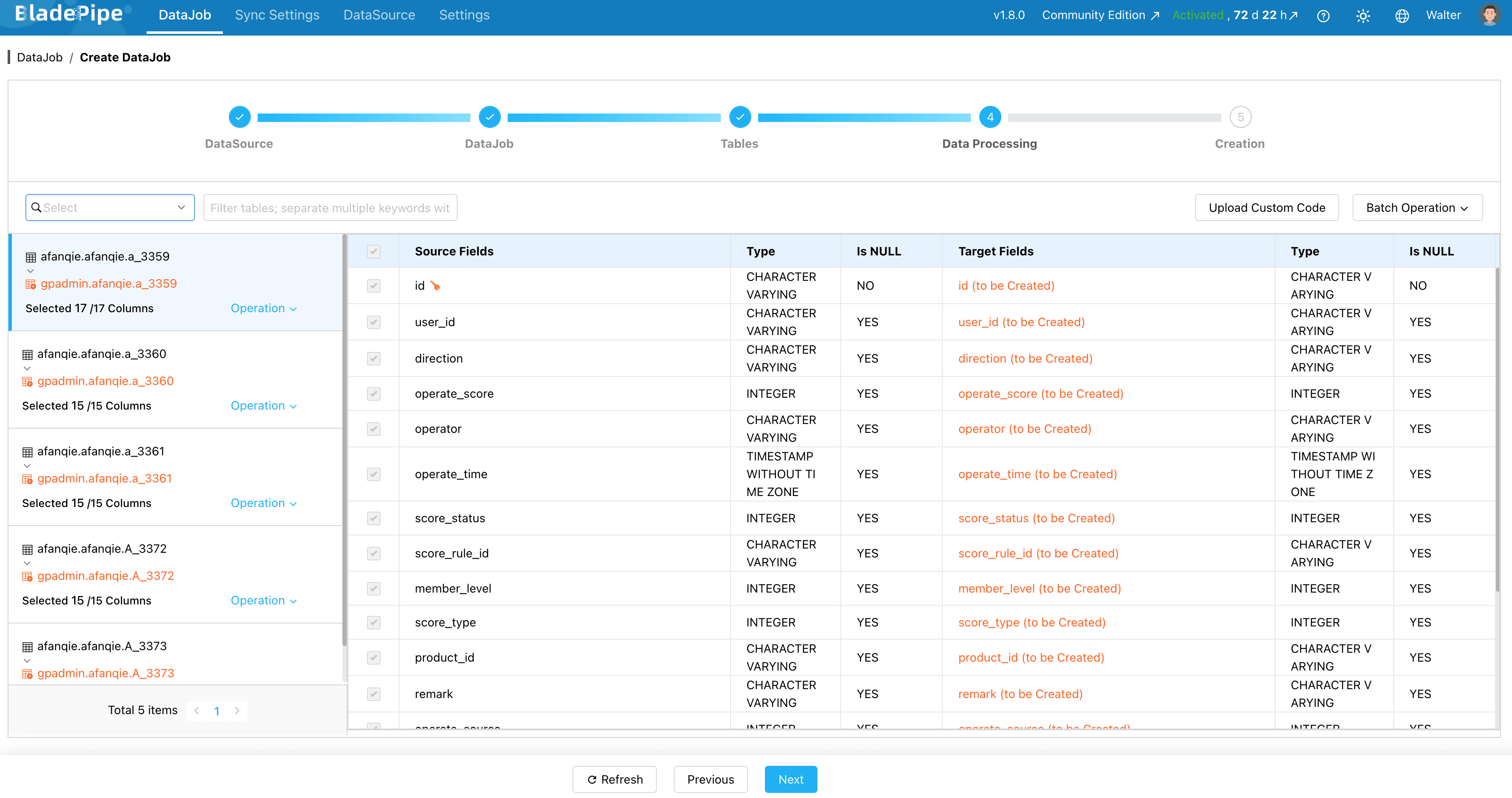
Select the columns to sync. Here you can process data, like filtering and transformation.
-
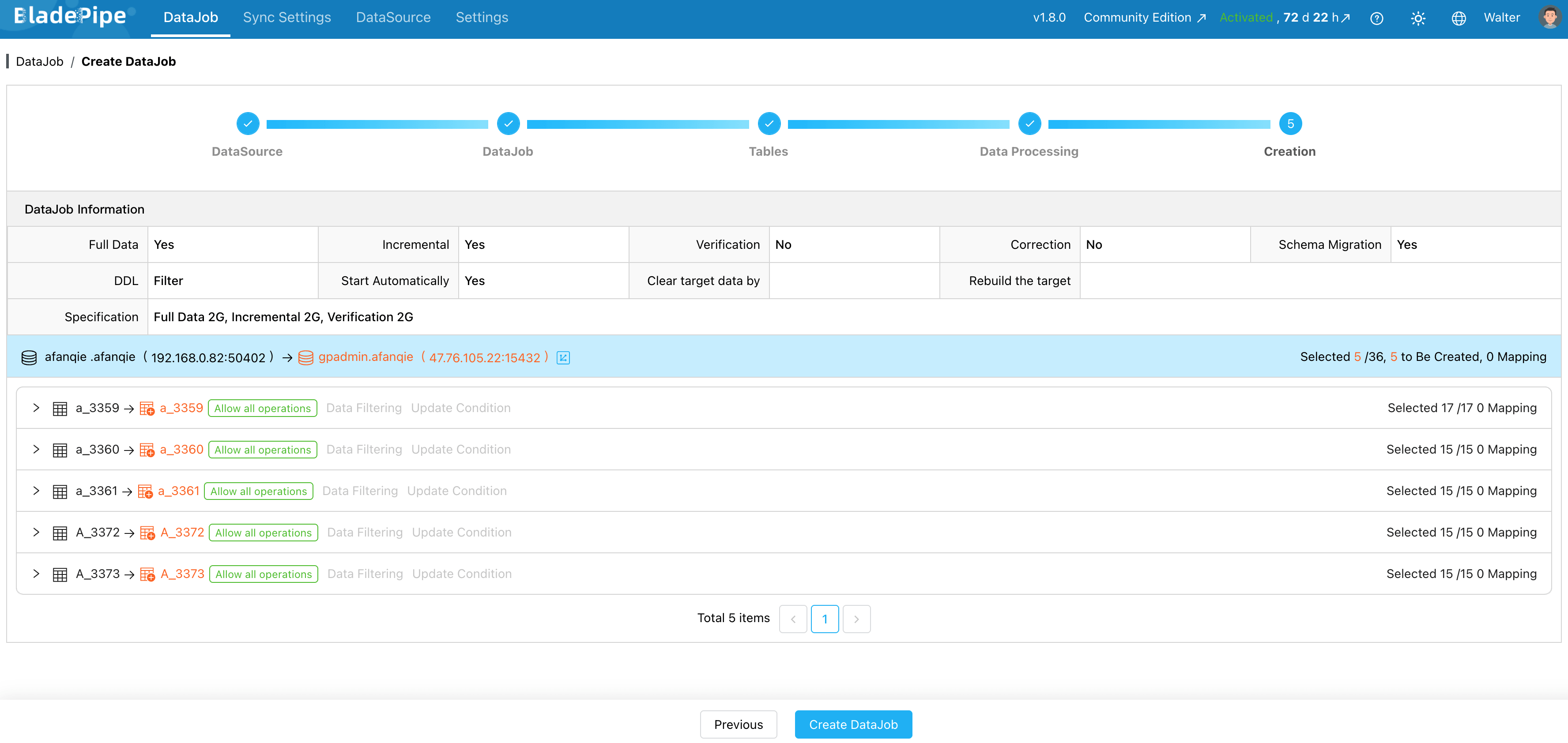
Click Create DataJob to start the DataJob.
-
You can check the pipeline status and progress on the DataJob page.

